
When it’s time to choose or upgrade practice management software, one of the first decisions dental practices face is how to deploy it: in the cloud or on a local server. Dental practices use both models, and neither is universally better than the other. The right fit depends on a practice’s size, infrastructure, IT resources, access needs, and long-term goals.
This article explains how cloud-based and server-based dental practice management software work, how they differ across key factors, and what to consider when evaluating which model makes the most sense for your practice.
Cloud-Based vs. Server-Based Dental Software at a Glance
| Factor | Cloud-Based | Hybrid (Hosted Server) | Server-Based |
|---|---|---|---|
| Deployment | Hosted by vendor on remote servers | Server software hosted in a vendor or third-party data center | Installed locally on practice hardware |
| Access | Browser-based, any compatible device | Remote session, often via browser; device support may be limited | Local network; remote access requires additional setup |
| Infrastructure | Vendor-managed; no local server required | No on-site server; hosting managed by vendor or host | Practice-owned and maintained server hardware |
| Software Updates | Provider-managed, pushed automatically | Follow the desktop software’s release cycle | Managed by practice or IT vendor |
| Maintenance | Handled by vendor | Server upkeep handled by the host | Handled by practice or contracted IT support |
| Remote Access | Built-in from any internet-connected device | Available through the remote session | Typically requires VPN or additional configuration |
| Scalability | Flexible: add locations or users through the platform | Depends on hosting plan and licensing | Depends on local hardware capacity and IT setup |
What Is Cloud-Based Dental Practice Management Software?
Cloud-based dental practice management software runs on servers operated by the software vendor, rather than on hardware inside the dental office. Dentists and staff access the system through a web browser or a browser-based application, rather than through a locally installed program.
Because the software and data are hosted remotely, practices do not need to purchase, maintain, or manage a local server to run the system. The vendor generally manages the underlying infrastructure and software updates, although update schedules and deployment practices vary by provider.
Cloud-based systems are generally designed to be accessed through compatible internet-connected devices, such as desktops, laptops, and, where supported, tablets. Staff can log in from a different location without the additional configuration that server-based access often requires.
Considerations to keep in mind:
- Cloud-based systems depend on a stable internet connection. A slow or unreliable connection can affect performance.
- Cloud-based dental software is commonly offered through recurring subscription pricing, although pricing models vary by provider. This shifts the cost structure compared to a one-time software purchase.
- Data is hosted on vendor infrastructure, which means practices should review vendor policies related to data portability, backup practices, and contract terms before committing.
- Transitioning to a cloud-based system requires a data migration process, which takes time and planning.
What Is Server-Based Dental Practice Management Software?
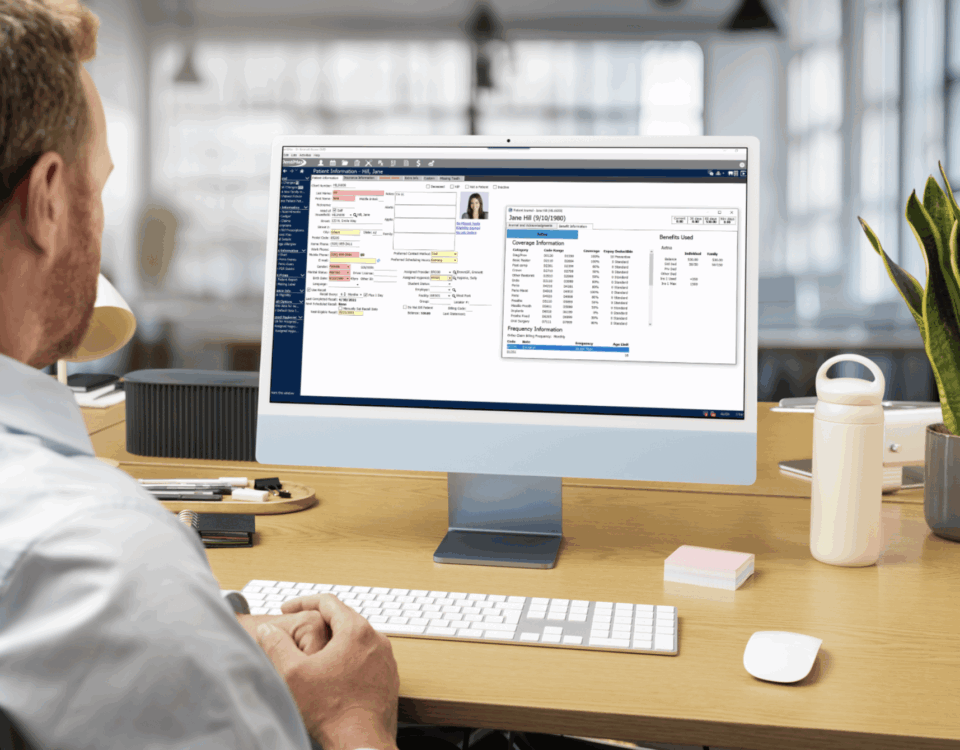
Server-based dental practice management software (sometimes called on-premise software) is installed on computers and server infrastructure located at the practice or within an environment managed on the practice’s behalf. The software runs on the local network, and staff access it from workstations connected to that network.
This deployment model gives the practice direct control over its hardware environment. Data is stored locally, and the practice’s IT team or IT vendor manages the server, backups, and infrastructure maintenance.
Updates in a server-based environment are typically managed by the practice or an IT provider, rather than being applied automatically. This can give practices more control over when and how software changes are implemented.
Considerations to keep in mind:
- The practice is responsible for purchasing, maintaining, and eventually replacing server hardware. Server hardware failures can disrupt practice workflows, making reliable maintenance, monitoring, and backup procedures important.
- Backups need to be configured and managed by the practice. Without a reliable backup process, data recovery after hardware failure can be difficult.
- IT support is required to manage the server environment, install updates, troubleshoot issues, and maintain system performance.
- Remote access to server-based software typically requires additional configuration, such as a VPN, remote desktop solution, or other secure remote-access technology.
What About Hybrid (Hosted Server) Dental Software?
Some dental software sits between the two models. In a hybrid, or hosted, setup, traditional server-based software is installed on servers in a data center rather than in the dental office, and staff connect to it remotely, often through a web browser. Because the practice no longer keeps a server on-site, these systems are sometimes described as cloud-based, even though the software itself was built to run on a local server.
The difference is in how the software is built and delivered. A cloud-based system is designed to run on the web. A hybrid system is still desktop software underneath, streamed to the user through a remote session. That can limit which devices and operating systems are supported, and updates generally still follow the desktop product’s release cycle rather than being pushed continuously.
When evaluating software described as cloud-based, it’s worth asking whether it was built for the web or is server software hosted remotely. The answer affects device compatibility, performance, and how quickly new features reach your practice.
Cloud-Based vs. Server-Based: Key Differences
Accessibility and Remote Access
Cloud-based software is designed from the ground up to support access from anywhere with an internet connection. Dentists, office managers, and administrative staff can log in from a laptop at a satellite location, a tablet during a mobile visit, or a home office. For practices with multiple locations or remote team members, this flexibility is built into the system.
Server-based software is anchored to the local network. Staff working at the practice can access the system normally, but access from outside the office typically requires additional configuration: a VPN, remote desktop software, or similar tools. This setup is manageable, but it adds a layer of complexity that cloud-based systems do not require by default.
IT Infrastructure and Maintenance
Server-based deployments require the practice to own and manage physical server hardware. This means budgeting for the initial server purchase, scheduling hardware maintenance, and planning for eventual hardware replacement. When a server has issues, the practice is responsible for resolving them, whether through in-house IT staff or an external IT vendor.
Cloud-based systems remove the need for the practice to maintain a local application server. The vendor manages the infrastructure, handles server-side maintenance, and provides system availability. The practice still needs to maintain its workstations and network connectivity, but the server layer itself is the vendor’s responsibility.
Software Updates
In a cloud-based model, the vendor generally manages software updates, reducing the need for practices to install updates locally. Practices benefit from new features and fixes as the vendor releases them.
In a server-based environment, updates are installed locally. This gives practices more control: they can schedule updates at times that minimize workflow disruption and test changes before applying them. However, it also means the practice bears responsibility for keeping the system current. Practices that delay updates may be running older software versions, which can affect performance, compatibility, and security patching.
This difference also shapes how quickly the software itself evolves. Because server-based software has to be packaged, distributed, and installed at each practice, vendors have historically released major upgrades on a slower cycle, often every one to two years. Cloud-based platforms deploy updates once on the vendor’s side, so they can release fixes and new features far more frequently, in some cases daily. As a result, server-based systems have tended to lag behind cloud-based systems in features and user experience.
Cost and Total Cost of Ownership
Cost comparison between the two models is more complex than a simple price-per-month comparison. Both models involve a combination of upfront and ongoing expenses.
Cloud-based dental software is commonly offered through recurring subscription pricing. Practices pay recurring fees that generally include access to the software, updates, and vendor-hosted infrastructure. There is generally no large upfront software license cost, and no server hardware to purchase. However, subscription costs accumulate over time, and pricing may change as the practice adds users or locations.
Server-based systems may involve a larger upfront investment in software licenses and server hardware. Over time, practices also need to factor in IT support costs, hardware maintenance, hardware replacement cycles, and potential costs for remote access infrastructure. Depending on the practice’s existing infrastructure, support costs, software pricing, and expected lifespan of the system, a server-based model may have a different total cost of ownership than a cloud-based model.
Neither model is automatically less expensive than the other. The right calculation depends on how long the practice plans to use the software, the size of the practice, existing infrastructure, and how much IT support the practice already has in place.
Data Management and Security
Both deployment models involve responsibilities related to data security, though the responsibilities are distributed differently.
In a server-based environment, the practice controls its own data and infrastructure. This means the practice is also responsible for securing that infrastructure: firewalls, access controls, local backup systems, and physical server security all fall within the practice’s scope.
In a cloud-based environment, the vendor hosts the data on their infrastructure and manages server-side security. Practices should review the vendor’s approach to data encryption, access controls, backup procedures, and compliance with applicable healthcare data requirements before selecting a system.
Neither model guarantees security simply by virtue of its architecture. Both cloud-based and server-based environments can be operated in ways that support HIPAA compliance, but compliance depends on how the system is implemented, secured, managed, and contracted. The questions to ask are about implementation: how is data backed up, who has access, how are breaches detected and handled, and what contractual protections are in place?
Integrations and Dental Imaging
Integrating dental imaging hardware and software with practice management software is a practical consideration for almost every dental practice. The deployment architecture of the PMS can affect how those integrations work.
Server-based PMS platforms have historically supported local imaging integrations, and many established dental imaging systems continue to offer local or bridged integration options. Dental imaging software and X-ray sensors communicate through the local network and bridge data into the practice management system.
Some cloud-based PMS platforms now offer direct imaging integrations, while others connect to local imaging software through bridge applications. Practices evaluating a cloud-based PMS should confirm how imaging integration works with their specific combination of sensors, imaging software, and practice management platform.
Practices relying on specific imaging systems should verify integration compatibility before transitioning between deployment models.
Scalability and Practice Growth
Scaling a cloud-based system typically involves adding users or locations through the platform itself. Because the infrastructure is vendor-managed, practices do not need to purchase additional hardware to support a new location or a larger team.
Scaling a server-based system may require additional hardware investment, depending on current server capacity. Adding locations may require additional infrastructure, networking, or remote-access configuration, depending on how the server-based environment is designed. This is manageable with the right IT support, but it adds planning and cost that cloud-based architectures generally handle at the platform level.
For DSOs or growing group practices, centralized cloud access across multiple locations can be a practical advantage when teams need shared visibility and access. For established single-location practices with stable infrastructure, server-based systems can scale adequately for many years.
Which Type of Dental Software Is Right for Your Practice?
There is no single correct answer for every practice. The better choice depends on what already exists in your office, what your team needs day to day, and where you plan to take the practice in the next several years.
Cloud-based software may be a better fit if your practice:
- Wants browser-based access from any compatible device, without installing software on each workstation
- Needs built-in remote access for providers or staff working across multiple locations or from different sites
- Prefers to have the vendor manage server infrastructure, updates, and maintenance
- Wants a more up-to-date, modern interface and user experience
- Is replacing aging server hardware and prefers not to reinvest in new on-premise infrastructure
- Is setting up a new practice and wants to avoid upfront server costs and IT complexity
- Operates a DSO or multi-location practice that benefits from centralized, cloud-connected visibility
Server-based software may still make sense if your practice:
- Already has functioning, well-maintained server infrastructure with remaining useful life
- Has dedicated IT resources or an established IT support relationship
- Has existing workflows, imaging integrations, and third-party tools that are built around the current local environment and would require significant reconfiguration to change
- Prefers to manage its own data environment and update schedule
- Has experienced disruptions from poor internet connectivity and prefers local access that does not depend on an outside connection
The decision is rarely black and white. Some practices do a careful infrastructure assessment and find that staying with a server-based system makes financial and operational sense for the next several years. Others find that aging hardware, a desire for remote flexibility, or a growing organization makes the shift to a web-based platform a practical priority.
Switching From Server-Based to Cloud-Based Dental Software
For practices considering a transition from server-based to cloud-based software, several practical factors are worth working through before going live.
Patient records and data migration. Existing patient data, clinical notes, treatment history, and scheduling information will need to be converted and imported into the new system. The scope of that migration, and how it is handled by the new vendor, is one of the most important questions to address upfront. Practices should confirm what data formats are supported, which data transfers cleanly, and what, if anything, may not migrate.
Imaging. Dental imaging data, including X-rays stored in an existing system, may or may not transfer cleanly to a new platform depending on the imaging software and file formats involved. Practices should verify how historical images will be accessed after the transition and whether a bridge application or new imaging setup will be required.
Insurance and billing workflows. Claim submission, insurance verification, and billing processes are deeply embedded in day-to-day operations. Any new system will handle these workflows somewhat differently, and staff will need time to learn the new process before they are fully efficient.
Staff training. A new system, regardless of how intuitive it is, requires a period of adjustment. Training quality and support availability before and during the go-live period significantly affects how quickly the team becomes productive.
Workflow changes. Transitioning to a new deployment model often surfaces workflow differences that are not obvious during the demo stage. Practices benefit from a go-live period with adequate support to address issues as they arise.
Hardware and infrastructure. While cloud-based software removes the need for a server, workstations still need to meet browser and connectivity requirements. Practices should verify that existing computers and network infrastructure will support the new system before transitioning.
DentiMax Flow: A Web-Based Alternative to Server-Based PMS
For practices evaluating a move away from a locally managed server environment, DentiMax offers Flow, an all-in-one cloud dental practice management software.
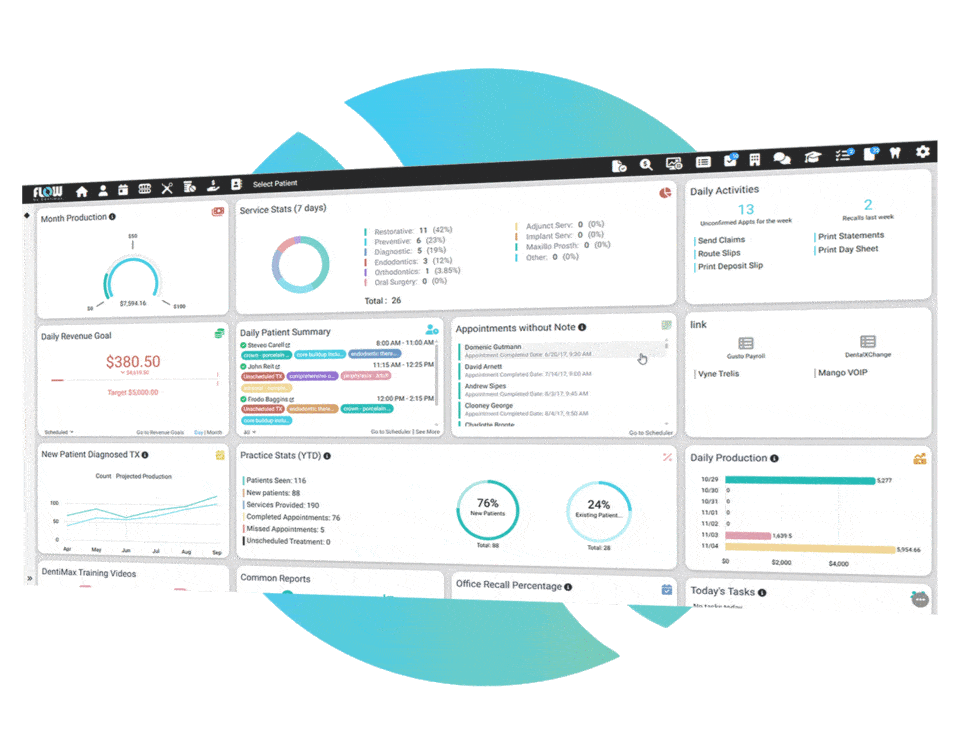
Flow runs through a browser, eliminating the need for a practice-managed application server. It supports scheduling, billing and online payments, reporting, patient records, clinical charting, voice perio charting, built-in SMS, registration and forms, and document management. Flow is designed around dental practice workflows, helping teams move naturally through connected tasks such as scheduling, patient records, clinical charting, billing, and communication. For practices managing multiple disconnected tools, an all-in-one platform can help bring more core workflows into one system, although the tools a practice can consolidate will depend on its existing setup.
Flow brings insurance and revenue-cycle workflows into the practice management system, including claims tracking, insurance drill-down, and billing visibility. DentiMax provides US-based support. Flow supports cloud and local imaging integration, including imaging bridge options. Practices should confirm compatibility with their current imaging setup. Practices considering Flow can request a demo through the DentiMax website to review how the platform would work in the context of their current operations, and to understand what the data migration and onboarding process would involve.
Conclusion
Cloud-based and server-based dental practice management software represent two different approaches to the same goal: keeping a dental office running efficiently. Cloud-based systems shift infrastructure management to the vendor and provide built-in remote access, at the cost of internet dependency and ongoing subscription fees. Server-based systems give practices direct control over their environment and may suit practices with established IT resources, but require ongoing investment in hardware, maintenance, and updates.
Neither model is the right choice for every practice. The decision comes down to what your practice already has in place, what your team needs to operate effectively, and what makes sense for the next phase of growth.
For practices that have decided to move away from a locally managed server, DentiMax Flow offers a web-based practice management option worth evaluating. Schedule a demo to see how Flow handles the workflows your team depends on.