
The Top Dental Sensors for Your Practice in 2026: Buyer’s Guide
The best dental sensor isn’t necessarily the one with the highest resolution. It’s the one that fits your clinical workflow.
Choosing an intraoral X-ray sensor can look deceptively simple. Compare the resolution, check the price, pick the one with the most impressive specifications, and you’re done.
In practice, it’s rarely that straightforward.
A sensor that works well in one dental office may not suit another. If positioning and patient comfort are frequent concerns, you may want to prioritize a thinner sensor. If you treat both children and adults, you may need a wider range of sizes. And when you’re replacing a sensor in an established practice, compatibility with your imaging software may matter more than a difference in resolution on a specification sheet.
Then there are the questions you don’t want to leave until something goes wrong: How long is the warranty? What happens if the sensor is accidentally damaged? Can the cable be repaired? What will it cost to replace?
This guide compares several of the top dental sensors available in 2026, looking at image quality, comfort, compatibility, durability, and cost to help you find a fit for the way your practice works.
What Should You Look for in a Dental Sensor?
A dental sensor’s job is to capture diagnostic X-ray images. But using it also involves positioning, software, and the rest of your team’s imaging workflow. Keep that in mind when comparing specifications.
Image Quality
Image quality matters when choosing an intraoral sensor. Resolution and pixel size tell you something about its imaging capabilities, but neither gives you the full picture.
One reason is that manufacturers don’t always report resolution in exactly the same way. Some specifications refer to theoretical resolution, while others report measured or actual resolution. Those figures aren’t necessarily interchangeable, so a larger number on one product’s specification sheet doesn’t automatically mean it will provide a better clinical experience.
For example, DentiMax Dream lists 20+ lp/mm of actual resolution and 26.3 lp/mm of theoretical resolution, while other manufacturers publish different combinations of measured, visible, and theoretical figures.
Use resolution as one part of the comparison, not the deciding factor.
Sensor Thickness and Patient Comfort
Intraoral sensors have to fit inside the patient’s mouth, often at uncomfortable angles. Their thickness can affect positioning and the patient’s experience.
For context, DentiMax Open is 4.5 mm thick and Dream is 5.3 mm, while several other sensors in this comparison are thicker.
The thinnest sensor won’t necessarily be the most comfortable for every patient. Consider thickness alongside its other characteristics, especially if patient comfort is a recurring issue in your practice.
Sensor Sizes and Active Area
One sensor size doesn’t necessarily work equally well for every patient or imaging situation.
You may need different sizes for children, smaller mouths, and adult patients. Check the active area, too: a sensor’s outer dimensions don’t tell you how much of its surface captures the image.
DentiMax Open, for example, is available in four sizes (0, 1, 1.5, and 2), while Dream comes in sizes 1 and 2 and Pro in sizes 1, 1.5, and 2.
If you see a broad range of patients, having the sizes you need may matter more than the highest resolution.
Imaging Software Compatibility
Before buying a sensor, check whether it is compatible with the imaging software your practice already uses.
This is especially important for practices replacing an existing sensor. You don’t want to choose hardware first and discover later that your imaging workflow requires additional software, installation, or configuration.
DentiMax sensors integrate with major dental imaging software, including Dexis, Patterson Eaglesoft, Carestream, and Gendex Vixwin.
The sensor works through the imaging software, which connects to practice management software further downstream. That’s why you need to check compatibility with your imaging software.
Durability, Warranty, and What Happens When Something Goes Wrong
Buying a sensor can seem straightforward. Replacing one is when the warranty, repair options, and ongoing costs start to matter. Ask about those before you buy.
Consider:
- How long is the manufacturer’s warranty?
- Is accidental damage covered?
- Can the cable be repaired?
- What happens if the sensor stops working?
- Is technical support included?
- What would replacing the sensor cost?
For DentiMax’s three sensor lines, purchases include a 3-year manufacturer warranty, and the company offers an optional accidental protection plan with replacement-price protection for up to five years. Check the plan’s terms before purchasing.
Include warranty and repairability in your buying decision.
Dental Sensors Compared: Key Specs at a Glance
The table below brings together specifications to consider in everyday practice, so you can compare the sensors side by side.
| Sensor | Best Fit | Sizes | Thickness | Resolution | Imaging Software | Price |
|---|---|---|---|---|---|---|
| DentiMax Pro | Premium imaging and established workflows | 1, 1.5, 2 | 7.84–8.34 mm | 19.5 µm pixel | Major dental imaging software | $7,999 |
| DentiMax Dream | Balance of image quality, comfort, and value | 1, 2 | 5.3 mm | 20+ lp/mm actual; 26.3 theoretical | 30+ imaging platforms | $5,999–$6,999 |
| DentiMax Open | Thin profile, size flexibility, and lower upfront cost | 0, 1, 1.5, 2 | 4.5 mm | 14–16 lp/mm actual (Size 0); 20+ actual (Sizes 1, 1.5, 2) | Major dental imaging software | $2,499–$2,999 |
| DEXIS Ti2 | High-resolution imaging and DEXIS workflows | 1 | 8.6 mm | 20+ lp/mm visible; 25.6 theoretical | DEXIS, DTX Studio Clinic | $8,414.63 (TDSC) |
| Schick 33 | Flexible imaging and Dentsply Sirona workflows | 0, 1, 2 | 7.5 mm | 33 lp/mm theoretical | Dentsply Sirona imaging software | $2,500 (Universadent) |
| Carestream RVG 6200 | Image quality and established Carestream workflows | 1, 2 | 7.3 mm | 24 lp/mm true | Carestream imaging software | $6,250 |
| Vatech EzSensor HD | Slim design and high theoretical resolution | 1, 1.5, 2 | 4.8 mm | 33.78 lp/mm theoretical | Standard driver compatibility | $3,119.20 (Yein Dental) |
Specifications are drawn from DentiMax and competitor manufacturer information.
A note about resolution: Resolution figures aren’t always directly comparable across manufacturers. Some companies report theoretical resolution, while others publish measured or visible resolution. For that reason, a higher number on a specification sheet shouldn’t automatically be interpreted as a better clinical result.
Pricing note: Prices reflect current listed prices at the time of research and may vary by sensor size, configuration, retailer, promotions, and market. DentiMax and Carestream prices are shown from official manufacturer websites; third-party prices are identified by retailer.
Prices shown for DentiMax sensors are standard retail prices, not promotional prices. Current offers may differ. Competitor pricing can vary by supplier, configuration, software package, and current promotions, so verify current pricing before purchasing.
DentiMax Sensors Compared: Pro vs. Dream vs. Open
DentiMax’s three sensor lines differ in size options, physical design, imaging specifications, and price. Here’s how they compare.
| Feature | DentiMax Pro | DentiMax Dream | DentiMax Open |
|---|---|---|---|
| Best fit | Premium imaging and established workflows | Balance of image quality, comfort, and value | Thin profile, size flexibility, and lower upfront cost |
| Sizes | 1, 1.5, 2 | 1, 2 | 0, 1, 1.5, 2 |
| Thickness | 7.84–8.34 mm | 5.3 mm | 4.5 mm |
| Pixel size | 19.5 μm | 19 μm | N/A |
| Resolution | See product specifications | 20+ lp/mm actual; 26.3 lp/mm theoretical | 14–16 lp/mm actual (Size 0); 20+ lp/mm actual (Sizes 1, 1.5, and 2); 25 lp/mm theoretical |
| Retail price | $7,999 | $5,999–$6,999 | $2,499–$2,999 |
| Manufacturer warranty | 3 years included | 3 years included | 3 years included |
DentiMax’s product information supports these size, imaging, and warranty specifications; prices shown are standard retail prices.
Price is only part of the difference between these sensors. The sizes you need, thickness, image specifications, and your imaging workflow will also influence your choice.
DentiMax Pro
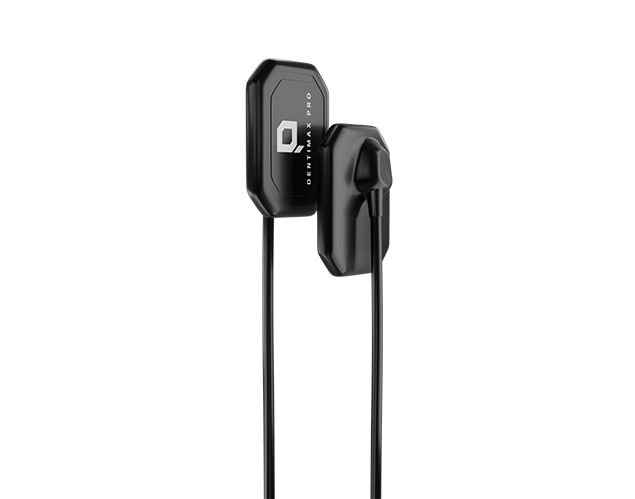
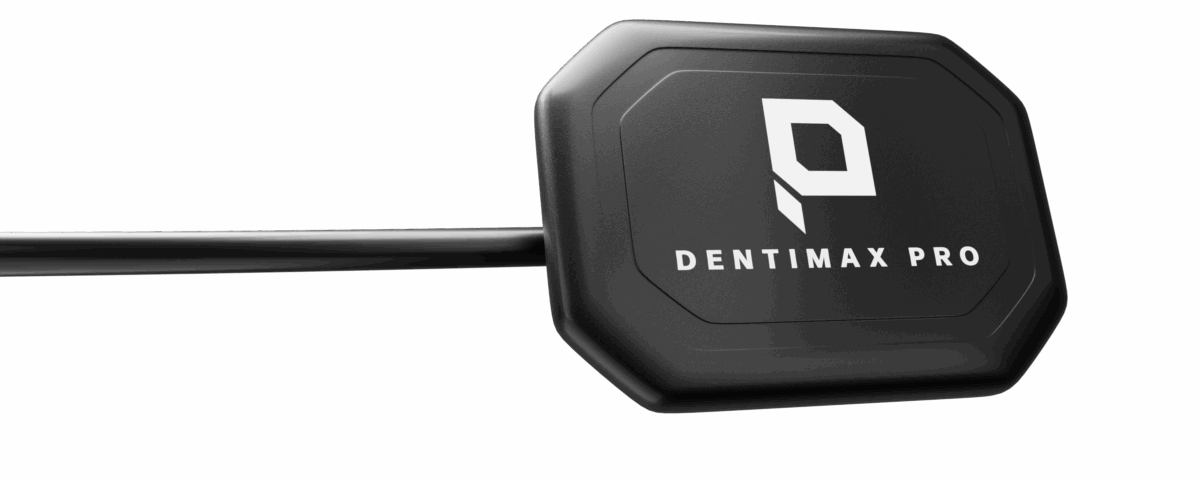
The DentiMax Pro is the premium option in the lineup, with three available sizes: 1, 1.5, and 2. Its 19.5 μm pixel size and $7,999 standard retail price place it at the higher end of DentiMax’s product range.
If you’re looking for a premium sensor that works with your existing imaging setup, the Pro is designed to integrate with major dental imaging software. Confirm the requirements for your specific setup before purchasing.
DentiMax Dream
The DentiMax Dream sits between the Pro and Open in the DentiMax lineup. It combines a 5.3 mm sensor profile with a 19 μm pixel size and two available sizes.
DentiMax lists 20+ lp/mm of actual resolution and 26.3 lp/mm of theoretical resolution.
The Dream was also named Best Tested Product of 2026 by Clinicians Report, an independent product-testing recognition.
DentiMax Open
At 4.5 mm, the DentiMax Open is the thinnest of the three DentiMax sensor lines. It also has four size options: 0, 1, 1.5, and 2.
It has the lowest standard retail price in the DentiMax lineup, ranging from $2,499 to $2,999 depending on size. That makes it an option to consider if you need more sizes or want to keep the upfront investment lower.
Other Dental Sensors to Consider
Other established imaging manufacturers have sensors with different resolution specifications, positioning features, software integration, and durability. Which ones belong on your shortlist depends on what you already use and what matters most to your workflow.
DEXIS Ti2: Designed for the DEXIS Ecosystem
The DEXIS Ti2 is designed around the DEXIS imaging ecosystem and uses enhanced CMOS technology with a 19.5 μm pixel size. It has a theoretical resolution of 25.6 lp/mm and a visible resolution of 20+ lp/mm.
The Ti2 uses a 2.5-meter, aramid-fiber-reinforced cable and connects through USB 2.0 or USB 3.0. DEXIS lists a 1-year manufacturer warranty and recommends DEXIS and DTX Studio Clinic software.
One notable difference is its design: rather than offering multiple sensor sizes, DEXIS describes the Ti2 as a one-size-fits-all sensor.
Who might consider the DEXIS Ti2?
Practices already invested in DEXIS imaging software and looking for a sensor designed to work within that ecosystem may want to consider the Ti2.
Schick 33: Multiple Sizes and Cable Options
The Schick 33 comes in three sizes (0, 1, and 2) and three cable lengths: 90, 180, and 270 cm.
The three sizes cover different clinical needs, from pediatric imaging to adult bitewings. Size 0 has an 18 × 24 mm active area, while Size 2 has a 25.6 × 36 mm active area.
Schick 33 has a 15 μm pixel size and a theoretical resolution of 33 lp/mm.
It also supports a USB 3.0 interface and uses replaceable cable technology.
Who might consider the Schick 33?
The Schick 33 may be worth considering for practices that value multiple sensor sizes, different cable-length options, and a sensor designed to work within the Dentsply Sirona imaging ecosystem.
Carestream RVG 6200: Measured Resolution and Long-Term Durability
Carestream specifies a measured resolution of 24 lp/mm for both RVG 6200 sizes, rather than reporting only theoretical resolution.
The sensor has a 19 μm pixel size and is available in Sizes 1 and 2. Its sensor plate is 7.3 mm thick.
The design includes a rear-entry cable intended to make positioning easier, while the sensor itself is designed to withstand shocks and daily clinical use.
Carestream also reports that the RVG 6200’s cables have been tested through more than 100,000 flexions, which the company equates to approximately 10 years of intensive use under normal conditions.
The sensor supports Carestream’s imaging ecosystem and compatible third-party imaging software.
Who might consider the RVG 6200?
Consider the RVG 6200 if you already use Carestream imaging or want to compare measured resolution and documented cable durability.
Vatech EzSensor HD: A Slim Sensor With High Theoretical Resolution
The Vatech EzSensor HD is built around a slim 4.8 mm CMOS sensor and is available in Sizes 1, 1.5, and 2.
It has a 14.8 μm pixel size and a theoretical resolution of 33.78 lp/mm. The sensor connects directly to a computer through USB 3.0 without requiring a separate control box in the middle of the cable.
Vatech also includes image-processing filters that can be adjusted for different diagnostic preferences.
Who might consider the EzSensor HD?
The EzSensor HD may suit practices looking for a thin sensor with multiple size options and high theoretical resolution, especially if positioning and patient comfort are priorities.
How to Choose the Right Dental Sensor for Your Practice
With the specifications in front of you, ask: Which sensor makes the most sense for your practice?
Think about your patients, your existing imaging setup, how your team works, and where you want to spend your budget. No single specification answers all of those questions.
If Patient Comfort Is a Priority, Look at Thickness and Positioning
If patients frequently find sensor placement uncomfortable, pay close attention to the sensor’s physical design.
Thickness can affect positioning, especially for patients with limited space in their mouths or those who find sensor placement difficult.
For example, DentiMax Open is 4.5 mm thick, while Dream is 5.3 mm. The competing sensors with listed thicknesses in this comparison range from 4.8 mm to 7.5 mm.
Consider thickness alongside the sensor’s size, shape, positioning system, and the types of patients your practice sees most often.
If You Treat Both Children and Adults, Consider Your Size Options
A practice that primarily treats adults may have different sensor needs from one that regularly works with pediatric patients.
Before purchasing, look at which sensor sizes are actually available. Size 0 can be useful for smaller mouths, while Sizes 1 and 2 cover common adult imaging needs. A Size 1.5 option can provide another middle ground for practices that want more flexibility.
DentiMax Open, for example, is available in Sizes 0, 1, 1.5, and 2. The Pro is available in Sizes 1, 1.5, and 2, while Dream comes in Sizes 1 and 2.
Dental Sensor Size Guide
Use the table below as a practical starting point when thinking about which sensor sizes your practice may need.
| Sensor Size | Typical Use | Patient Population | What to Consider |
|---|---|---|---|
| Size 0 | Pediatric imaging, anterior images, pediatric bitewings | Children and smaller mouths | Useful when a smaller sensor is needed |
| Size 1 | Anterior imaging and child bitewings | Children with larger arches and smaller adults | Flexible middle option |
| Size 1.5 | Intermediate imaging needs | Practices wanting more size flexibility | Not available from every manufacturer |
| Size 2 | Adult bitewings and posterior periapicals | Most adult patients | Common choice for general adult imaging |
These are starting points, not fixed rules. Patient anatomy and the image you need will influence placement and size selection.
Ask “Which sizes does my practice actually need?” Having more sizes only helps if you’ll use them.
If You’re Replacing an Existing Sensor, Start With Software Compatibility
Replacing a sensor isn’t necessarily the same as outfitting a new practice.
If your team already has an imaging workflow that works, compatibility should be one of the first things you check. Confirm that the sensor you’re considering works with your existing imaging software and understand what installation or configuration may be required.
Checking this first can save you from buying a sensor that doesn’t work well with your existing setup.
Also check whether you can keep using your existing sensors alongside the new one. That can make the transition easier if you’re replacing equipment gradually.
If You’re Worried About Long-Term Ownership Costs, Look Beyond the Purchase Price
The initial price is only part of the cost of owning a dental sensor.
Before buying, consider what happens if the sensor is damaged, the cable fails, or the hardware eventually needs to be replaced.
Look at:
- Manufacturer warranty
- Accidental-damage protection
- Cable repair or replacement
- Technical support
- Replacement costs
- Any required software or hardware
For example, DentiMax includes a 3-year manufacturer warranty and offers an optional protection plan with replacement-price protection for up to five years. DentiMax also offers cable repair, which can be worth considering when comparing long-term ownership costs.
A lower purchase price doesn’t always mean a lower lifetime cost. And a more expensive sensor won’t necessarily cost less to own. Compare what each purchase includes.
If Image Quality Is Your Top Priority, Don’t Compare Resolution Alone
Resolution figures can be misleading when manufacturers report different measurements. Pixel size, image-processing technology, sensor design, and real-world diagnostic performance also contribute to the imaging experience.
Ask:
- Is the resolution theoretical or measured?
- What is the pixel size?
- Is there independent product testing or clinical evaluation?
- How does the sensor perform in the types of imaging your practice performs most often?
- Does the sensor fit your existing workflow?
A larger resolution number tells you something, but it isn’t enough to make the decision.
If Upfront Investment Is Your Biggest Concern, Compare Value, Not Just Price
If you need multiple sensors, upfront cost may be a particular concern. Still, check what you get for the price.
Consider the sensor’s:
- Image-quality specifications
- Size options
- Physical design
- Software compatibility
- Warranty
- Protection plan
- Repairability
- Support
- Expected role in your practice
For example, DentiMax’s three sensor lines occupy very different standard retail price points, from the Open at $2,499–$2,999 to the Pro at $7,999. The differences aren’t limited to price; the sensors also vary in thickness, sizes, and positioning within the product lineup.
Choose the features and ownership terms that make sense for your practice, at a price you’re comfortable with.
If You’re Opening a New Practice, Think About the Workflow You Want From the Start
When you’re opening a practice, you may not have an established imaging workflow to work around. You can plan the whole setup before buying a sensor.
Think about:
- Which imaging software you’ll use
- How many operatories will need access to sensors
- Which patient populations you’ll serve
- Which sensor sizes you’ll need
- How much you’re comfortable investing upfront
- What kind of warranty and support you’ll want
Answer those questions before narrowing your choices by technical specifications.
The Bottom Line: Match the Sensor to the Practice
One office may prioritize a thin sensor. Another may need compatibility with an existing imaging platform. A practice that sees many children may need more size options, while another may focus on warranty, cable repairability, or long-term ownership costs.
Before you buy, ask: What does my practice need the sensor to do, and which combination of features supports that workflow?
Dental Sensor Buying Checklist
Run through these questions before choosing a sensor. Checking the details now can help you avoid compatibility issues, unexpected replacement costs, or a sensor that doesn’t fit your workflow.
- ☐ Does it work with your imaging software? Confirm compatibility before you buy.
- ☐ Do you have the right sensor sizes? Consider both adult and pediatric patients.
- ☐ Is the sensor thickness comfortable for your patients? Especially important if positioning is already challenging.
- ☐ What does the resolution specification actually mean? Check whether you’re looking at theoretical, measured, or visible resolution.
- ☐ What does the warranty cover? Look beyond the length of the warranty and check what’s included.
- ☐ What happens if the sensor is damaged? Understand repair, replacement, and protection options.
- ☐ Can the cable be repaired or replaced? A repairable cable can affect long-term ownership costs.
- ☐ What will the sensor actually cost over time? Consider replacement, repairs, support, and accessories, not just the upfront price.
- ☐ Can you test it before committing? If a trial is available, use it to see how the sensor fits your team’s workflow.
Frequently Asked Questions
What is the best dental sensor in 2026?
There isn’t one sensor that is the right choice for every practice. The best fit depends on your imaging software, patient population, comfort requirements, image quality needs, and budget.
What resolution should a dental sensor have?
Resolution is only one part of image quality. When comparing sensors, check whether the manufacturer reports theoretical, measured, or visible resolution.
Are thinner dental sensors more comfortable?
A thinner sensor can make positioning easier, but thickness isn’t the only factor that affects patient comfort. Sensor size, shape, positioning technique, and patient anatomy also matter.
How do I know if a dental sensor is compatible with my software?
Check the manufacturer’s current compatibility information and confirm that the sensor works with the specific imaging software and setup used in your practice.
Ready to Find the Right Fit?
Want to test a sensor in your practice before committing? DentiMax offers a 14-day Try Before You Buy program so you can try it before deciding whether it’s the right fit.
Sources
- Clinicians Report, DentiMax X-ray Sensors: https://dentimax.com/wp-content/uploads/2026/01/DentiMax_X-raySensors_DU.pdf
- Clinicians Report, DentiMax Dream Sensor: https://dentimax.com/wp-content/uploads/2025/01/DentiMax_BG24_DU.pdf