How Dental Practices Integrate Dental Software

Dental practices rely on multiple technologies to manage clinical, administrative, and patient-facing workflows. Practice management, dental imaging, payments, patient communication, insurance, and other tools can all play a role in day-to-day operations.
When these systems work together, practices can reduce duplicate data entry, improve access to patient information, and create more connected workflows for both staff and patients. But choosing integrated dental software requires more than looking at a list of features. Practices also need to consider implementation, data migration, compatibility, training, and long-term support.
What Benefits to Look for in Your Dental Office Software
Integrated dental software should do more than connect individual systems. The goal is to make everyday workflows easier to manage by allowing teams to access and use the information they need across different parts of the practice.
When evaluating dental software, consider how well it supports clinical workflows, administrative tasks, patient communication, and the systems your practice already uses.
Benefit 1: Keep Practice Data Secure and Accessible
Dental practices handle sensitive patient and financial information every day, making data protection an important consideration when selecting software.
Look for a system with appropriate data backup and security measures, and understand how your provider handles backups, data recovery, and access to practice information. Before implementation, practices should also understand what happens to their data if the system needs to be restored, migrated, or replaced.
Benefit 2: Connect Dental Imaging and Practice Management
Imaging is an important part of many dental workflows, so practices should consider how their imaging systems interact with their practice management software.
When patient records, clinical information, and imaging can be accessed within connected workflows, staff may spend less time moving between systems or manually locating information. Before choosing a solution, verify which imaging systems and devices are supported and whether a bridge, driver, or other local component is required.
This is particularly important for practices that already have imaging hardware they want to keep using.

Benefit 3: Create a More Connected Patient Experience
Integrated software can also affect the patient experience. When information is easier for staff to access, everyday processes such as scheduling, registration, clinical visits, communication, and payments can become more connected.
Instead of relying on paper files or switching between disconnected legacy systems, teams can work from shared patient information and spend less time searching for the information needed to complete routine tasks.
When evaluating software, consider how patient-facing tools such as digital forms, online scheduling, messaging, reminders, or payments connect with the rest of the practice workflow.
Benefit 4: Improve Communication Across the Practice
Dental practices depend on coordination between front-office, clinical, and administrative teams. Integrated software can help keep patient and practice information connected across these workflows.
For example, information entered during scheduling or registration may need to be available to clinical staff, while treatment and billing information may need to flow back to the administrative team.
The goal is not simply to have every workstation connected. It is to create a workflow where the right information is available to the people who need it without unnecessary handoffs or duplicate entry.
Benefit 5: Support Workflows Across Locations
Practices operating across multiple locations may have additional integration requirements. Teams may need consistent access to patient records, scheduling information, clinical documentation, billing information, and other practice data.
If your organization operates in more than one location, ask how the software handles shared information, user access, reporting, and workflows across offices before implementation.
What Dental Software Should You Integrate?
A dental practice may use several systems alongside its practice management platform. The specific combination will depend on the practice, but common integration areas include:
| System or Tool | What Integration Can Support |
|---|---|
| Practice management software | Scheduling, patient records, clinical and administrative workflows |
| Dental imaging | Access to X-rays and other diagnostic images |
| Payment processing | Payment workflows and transaction handling |
| Insurance and clearinghouse tools | Claims and insurance-related workflows |
| Patient communication | Reminders, messaging, and other patient communications |
| Digital forms and registration | Patient intake and information collection |
| E-prescribing | Prescription-related workflows |
| Electronic attachments | Supporting documentation for insurance workflows |
Not every practice needs every integration. The right combination depends on your existing systems, workflows, and operational needs.
Questions to Ask When Evaluating Integrated Dental Software
Before choosing a system, map the workflows you want the software to support and identify where your current tools create unnecessary manual work.
Ask:
- Can patients complete registration or forms digitally before their appointment?
- Does the system support online scheduling or patient check-in?
- Can patient information flow between front-office and clinical workflows?
- Can the software connect with our existing dental imaging equipment?
- Does it support the payment and insurance tools our practice uses?
- Can staff access the information they need without switching between multiple systems?
- Does the vendor support the number of providers and locations in our practice, and what configuration is required?
- Which integrations are included, and which require additional fees or configuration?
- What happens to our existing patient data and images during implementation?
Once you have answered these questions, you can compare software based on the workflows and systems that matter most to your practice—not simply the number of features included.
How to Plan a Dental Software Implementation

Choosing software is only the first step. A successful implementation also requires planning, data preparation, testing, and staff training.
Practices should understand how the implementation process works before signing up for a new system. Ask what support is included, how training is delivered, how existing data will be handled, and what the transition process looks like.
1. Map Your Current Workflows
Start by documenting how your team currently handles scheduling, patient intake, clinical documentation, imaging, billing, payments, communication, and reporting.
This helps identify which workflows the new system needs to support and where integrations may be necessary.
2. Review Your Existing Systems
Make a list of the software, hardware, and third-party services your practice currently relies on.
Pay particular attention to imaging equipment, payment processing, insurance and clearinghouse services, communication tools, and other systems that need to exchange information with your practice management software.
3. Plan Data Migration
Determine what patient records, financial information, images, documents, and other data need to move to the new system.
Ask which legacy systems are supported, what information can be transferred, whether images are included, and whether there are limitations or additional fees associated with conversion.
4. Test Before Going Live
A complete conversion without adequate testing can create unnecessary disruption. Before going live, practices should verify migrated information and test the workflows staff will use every day.
Testing should include the areas that are most critical to your practice, such as scheduling, patient records, clinical documentation, imaging, billing, and payments.
5. Train Your Team
Even a capable system can create friction if staff do not know how to use it. Ask what training is included, who provides it, how many training sessions are available, and what support is available after implementation.
Training should reflect the different responsibilities of front-office, clinical, and administrative staff.
Dental Practice Management Software and Data Migration
Moving from one dental software system to another can involve more than transferring basic patient records. Practices may also need to consider clinical information, financial records, documents, and diagnostic images.
Before committing to a new system, ask:
- Which legacy systems can be converted?
- What types of records can be transferred?
- Are historical images included?
- Is the conversion complete or limited to a specific period?
- How is migrated data validated?
- Can the practice review converted information before going live?
- Are conversion or migration services included in the software price?
Understanding these details early can help practices avoid surprises during implementation.
Dental Imaging and Practice Management Integration
Dental imaging is closely connected to clinical workflows, but integrating imaging does not necessarily mean eliminating all local hardware or software requirements.
Depending on the imaging system and equipment a practice uses, integration may require a bridge, driver, local workstation access, or other configuration. Practices should therefore verify compatibility with their existing sensors, imaging systems, and other devices before switching software.
If imaging is an important part of your practice workflow, ask the software provider which devices and systems are supported and what is required to connect them.
Consider Your Long-Term Goals
Dental software is a long-term operational decision, so practices should evaluate more than their immediate needs.
Consider whether the system can support changes such as adding providers, expanding locations, introducing new patient-facing tools, changing payment or insurance workflows, or connecting additional technology.
A solution that fits your practice today should also be able to accommodate reasonable changes in your workflow over time.
Choose Software Your Team Can Actually Use
Usability affects how quickly staff can adopt a new system and how consistently they use it. A platform with extensive functionality may still create problems if everyday tasks are difficult to navigate.
During evaluation, pay attention to the workflows your staff performs most often. Ask whether the interface is intuitive, what training is required, and whether staff can complete common tasks without unnecessary steps.
The best fit is not necessarily the software with the longest feature list. It is the solution that supports your practice’s workflows, technology, and team effectively.
How DentiMax Flow Supports an Integrated Dental Workflow
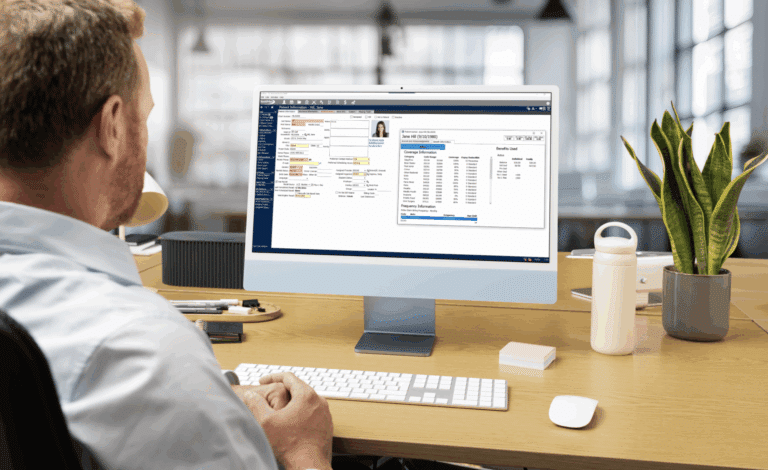
DentiMax Flow brings core practice-management workflows into one platform, helping practices connect areas such as scheduling, patient records, clinical charting, billing, forms, documents, messaging, and reporting. Flow also works within DentiMax’s broader ecosystem of integrations and partner services, with availability and functionality varying by plan and practice setup.
For practices evaluating integrated dental software, the goal is not necessarily to replace every tool they currently use. Instead, practices should identify which workflows they want to connect, confirm the integrations they need, and understand any hardware, configuration, or third-party requirements before implementation.
Ready to see whether Flow fits your practice? Book a Flow demo.
Conclusion
Integrating dental software is ultimately about creating a more connected practice—not simply adding more technology. The right solution should support the workflows your team relies on, work with the systems and equipment you already use, and provide a practical implementation path.
Before making a decision, evaluate integrations, data migration, imaging compatibility, training, support, and long-term scalability alongside the software’s core features. Taking the time to understand these factors can help your practice choose a system that fits both its current workflow and future needs.